
How to Find and Use Instagram Reels Templates in 2026
In 2026, reels will continue to be an essential part of every creator’s strategy on Instagram.
It’s a double win! Your audience loves (and expects) video content, and Instagram’s algorithm significantly rewards those who consistently post reels.
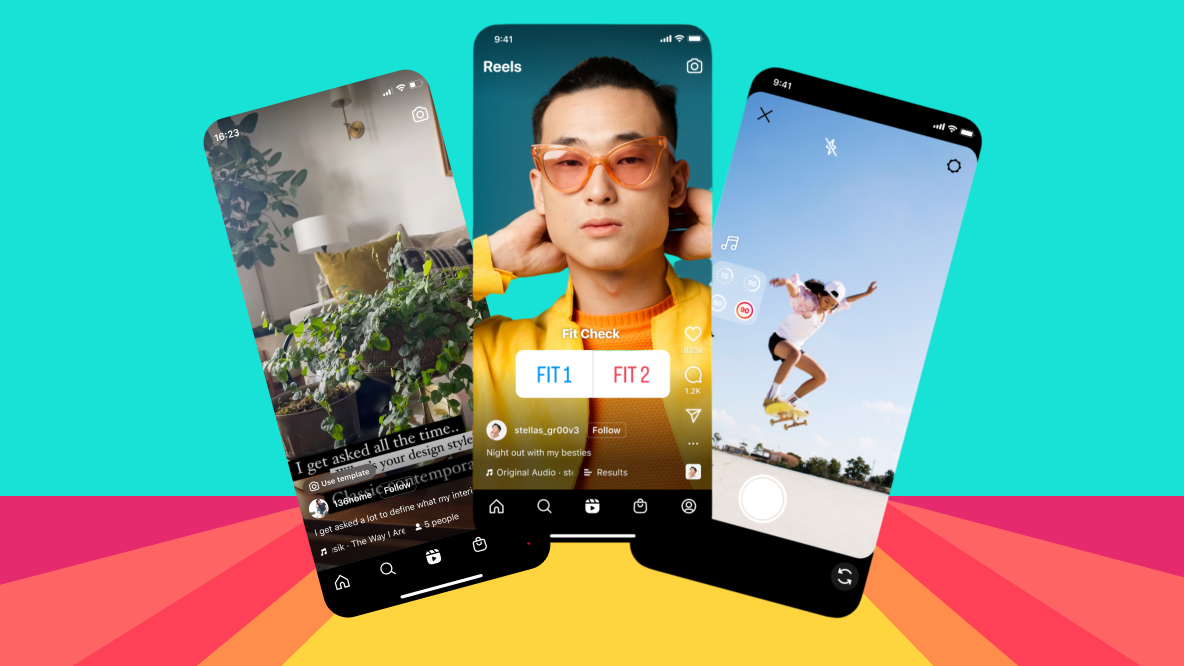
Instagram reels templates are the perfect time-saving hack while still creating fun video content.
Read on to learn how to use Instagram Reels templates, where to find them on Instagram, and where to get ideas for trending content.
Table of Contents
- Introduction
- What are Instagram Reels templates?
- How to find Instagram reels templates?
- How to use an Instagram template from your feed
- How to find trending Instagram reels templates
- Frequently asked questions about Instagram templates
- How to optimize your Instagram Reels strategy
What are Instagram Reels templates?
Instagram Reels templates are a built-in Instagram feature that allows you to drag and drop photos and videos into an existing template to quickly create video content.
These templates provide an easy way to create aesthetic, fun, and short videos.
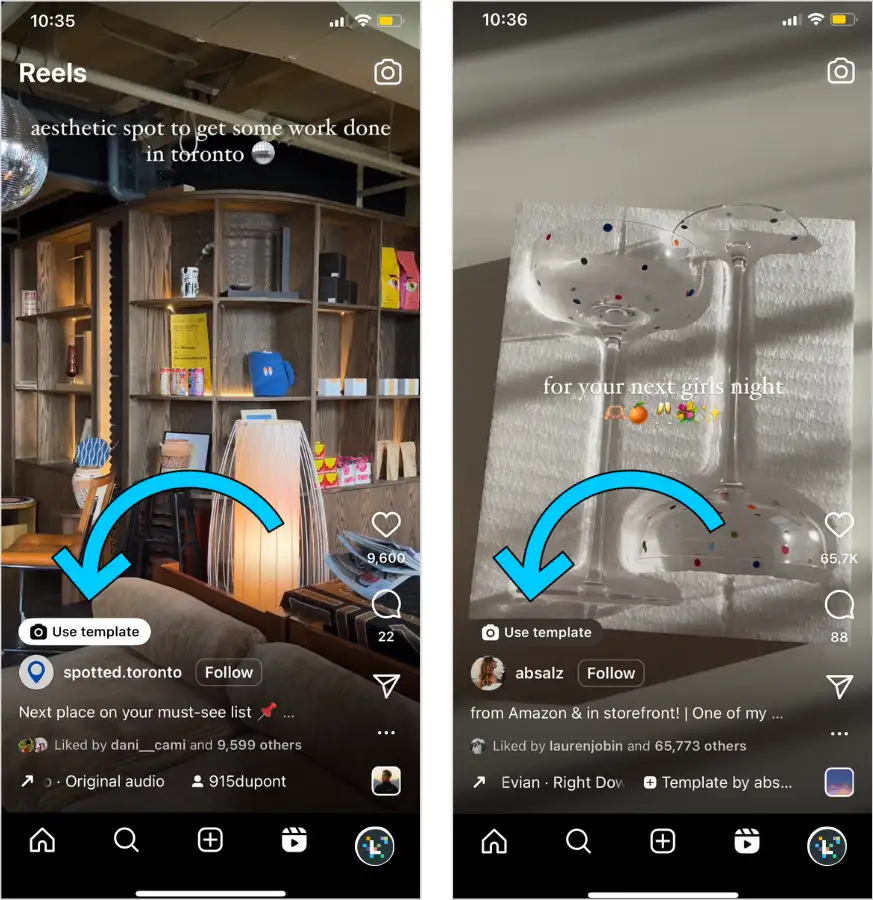
You can easily tell when a reel has a template you can use.
Above the account name, you’ll see a “Use Template” button.
Reels templates are useful in the following cases:
- You see a trend you need to jump on as quickly as possible.
- You’re batch creating content and need to produce lots of reels that look great without taking up too much time.
- You’re new to social media and are still learning how to create superstar video content.
- Video editing isn’t your strong suit, but you still need to create impressive reels.
We love good time-saving strategies. From using templates to pre-planning content — anything that lets you focus on bigger tasks is a win in our book.
Packages for Influencers -> Instagram followers and likes, views of the highest quality for your profile!
How to find Instagram reels templates?
You can find Instagram reels templates in the template browser.
Here’s how in three simple steps:
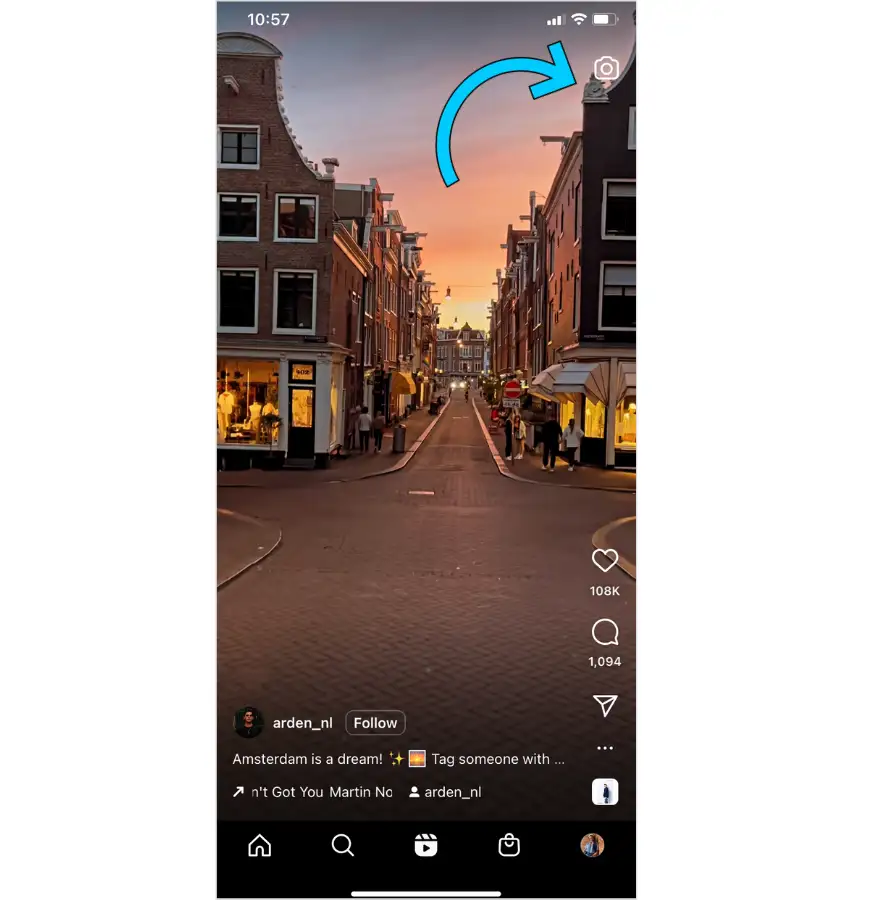
Step 1: Go to the “Reels“ tab and tap the camera icon.
Step 2: In the video editor, go to the “Templates” tab.
Here you will see more ideas and templates – from recommended, to trending, to ones you have saved.
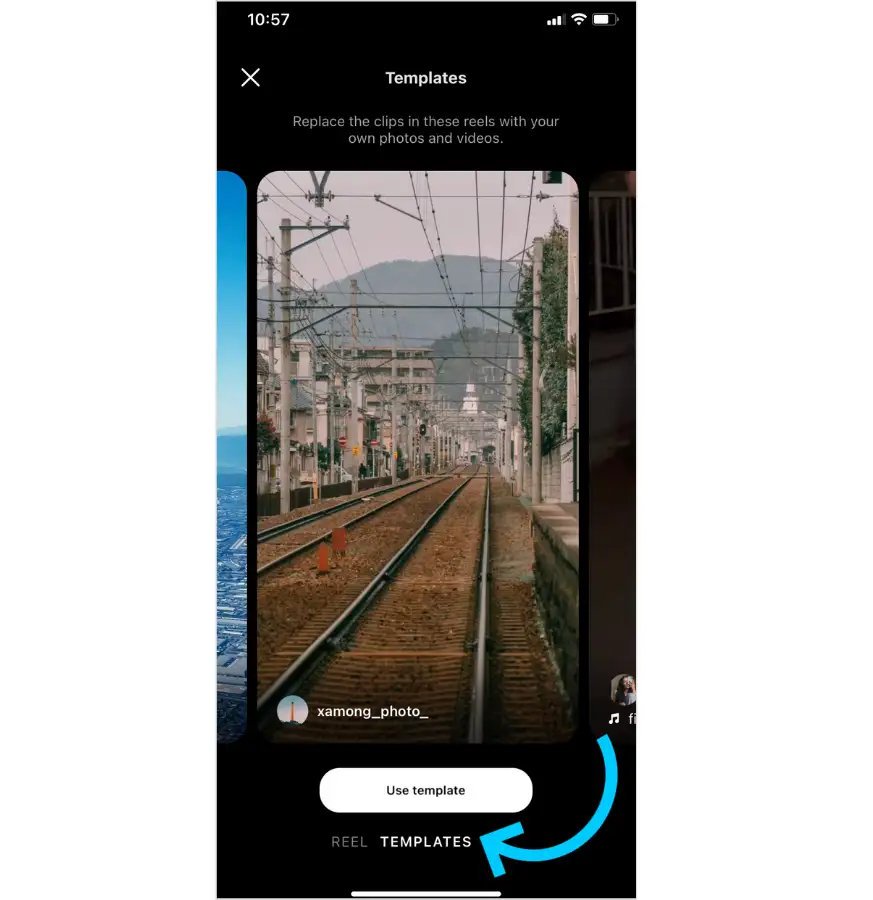
Step 3: Find a template you like, then tap “Use Template”.
You will be prompted to add photos or videos from your phone.

How to use Instagram reels templates
To reuse an existing Reels template, follow these basic steps:
Step 1: Browse the Reels feed until you find a Reel with the “Use Template” sticker icon.
It will appear above the creator’s name.

Alternatively, tap the three-dot menu icon and select “Use as Template”:

Once selected, the timestamps of the individual clips in the reel will be displayed.
Step 2: Tap “Add Media” and replace the clips with your own from your phone

TIP: Choose a variety of clips (such as close-up shots and different angles) to add dimension to your reels.
How to find trending Instagram reels templates
Your favorite brands and content creators are already using Instagram reels templates to quickly create great content.
If you want to stay ahead of trends (and trending sounds on Reels), you can check out these resources:
- @reelstips on Instagram shares weekly trending Reels templates and tutorials
- Browse the Instagram Template Browser (you can find out how to access it in the previous section) to find trending templates.
Instagram Reels Templates Frequently Asked Questions
Here are answers to the most frequently asked questions about Reels templates.
Can I save Reels templates to use later?
Noticed a template you like but aren’t ready to upload your content yet?
No problem. Here’s how to save a template for later in just a few quick steps:
Step 1: When you see a template you want to use, tap the three-dot menu icon.
Step 2: Then press the “Save” button, which will add the Reel to your collections and, by default, its template as well.
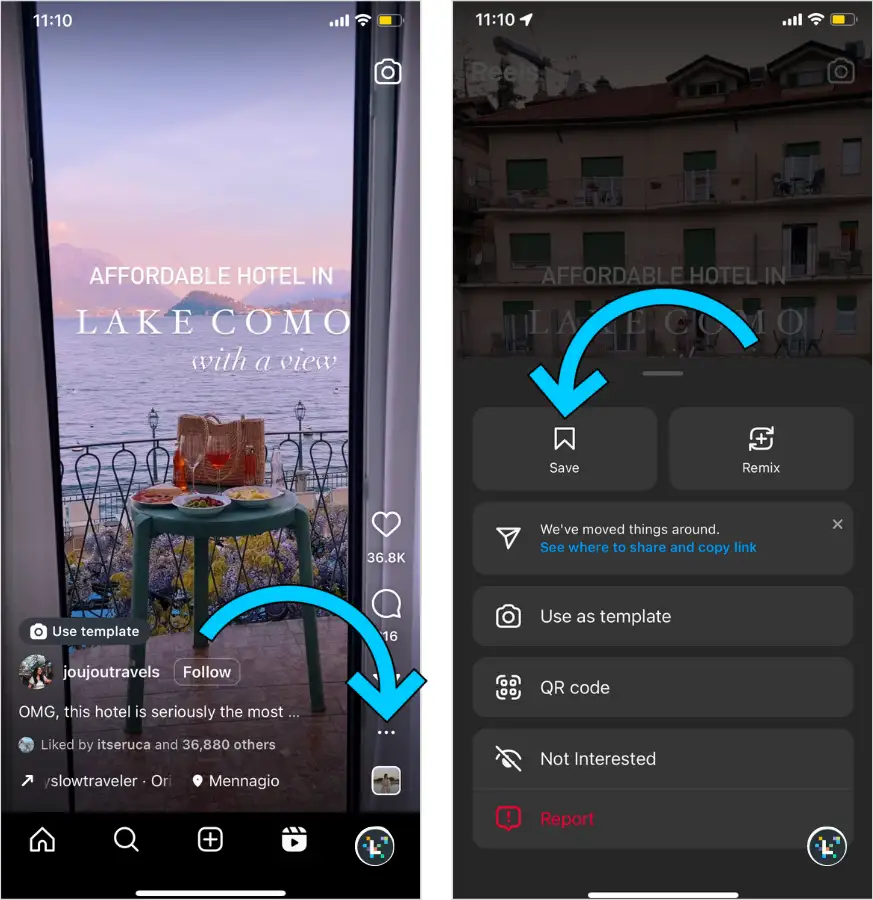
When you’re ready to use your chosen template, simply go back to your collections (in the dropdown menu on your profile) and upload your Reel.
Are Instagram Reels templates free?
Yes, Instagram Reel templates are completely free for all Instagram users. Thanks, Mosseri!
Can you change the music on Instagram Reels templates?
Yes, you can. After updating the template, you can apply any edits available in the Reels editor, from text overlays to updating sounds, to create your own custom template.
Can other people use Reel templates that I create?
They can! If your Reel has at least 3 clips or images, you can turn your creation into a template within the app.
Keep in mind that your Instagram profile must be public for your templates to be discoverable.
Conclusion
Instagram Reels templates in 2026 are an invaluable tool for anyone who wants to create professional-looking videos without lengthy editing. Whether you’re a beginner creator, an experienced influencer, or a business profile manager, templates allow you to keep up with trends, save time, and boost the reach of your content.
Thanks to Instagram’s built-in features, using them is fast, intuitive, and accessible directly within the app – and completely free. When combined with smart content planning and current trends, you’ll have a powerful tool for growing your profile.
So don’t wait – open the Template Browser, get inspired, and start creating Reels that will not only entertain but also attract new followers. Your algorithm will thank you for it.
If you want results right away, you can get an Instagram followers and likes package right now.






Michal Záruba is a digital marketing specialist and a consultant in social media and SEO. For more than 8 years, Michal has been helping brands grow online through strategic content, search engine optimisation and effective communication on platforms such as LinkedIn, Instagram and YouTube.
On the blog, Michal shares practical tips on how to combine SEO, social media and brand building into one working strategy, focusing on how companies can use modern tools and algorithms so that their brand gains not only reach but also trust.
Alongside creating content, Michal lectures on digital marketing, trains teams and follows new trends in AI and search.